



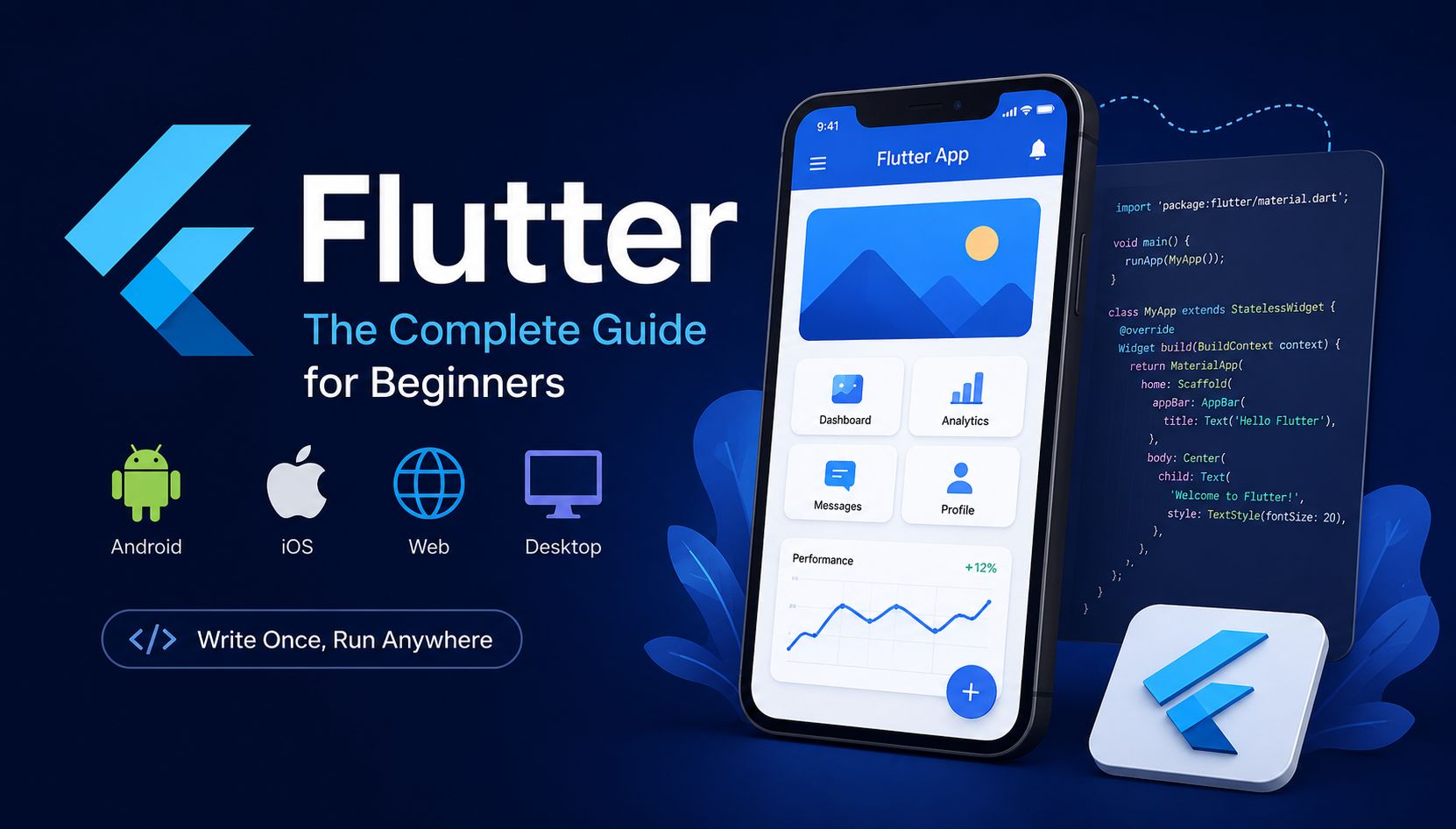
Flutter has become one of the most popular frameworks for building mobile applications in recent years. Developed by Google, Flutter allows developers to create beautiful, fast, and cross-platform applications using a single codebase. Instead of writing separate code for Android and iOS, developers can build both apps at the same time, which saves time and development costs.
One of the main reasons behind Flutter’s popularity is its rich user interface, high performance, and developer-friendly features like Hot Reload. Whether you are a beginner who wants to start app development or a business looking for a cost-effective solution, Flutter offers a modern and efficient way to build applications for mobile, web, and desktop platforms.
In this guide, you will learn what Flutter is, how it works, its main features, advantages, and why so many developers are choosing it for modern app development.
What is Flutter?
Flutter is an open-source UI software development toolkit created by Google. It is used to build cross-platform applications for Android, iOS, web, Windows, macOS, and Linux using a single codebase. This means developers do not need to write separate code for different platforms, making the development process faster and more efficient.
Flutter was first introduced by Google in 2017 and quickly became popular among developers because of its high performance and modern UI capabilities. Unlike many other frameworks, Flutter uses its own rendering engine to draw widgets directly on the screen, which helps create smooth animations and consistent designs across different devices.
Flutter applications are mainly developed using the Dart programming language. Dart is designed to be easy to learn, especially for developers familiar with languages like JavaScript or Java. Combined with Flutter’s powerful features, Dart helps developers create responsive and visually appealing applications with less effort.
Today, Flutter is widely used by startups, businesses, and independent developers to build modern applications quickly while reducing development costs and maintenance time.
2. How Does Flutter Work?
One of the biggest reasons behind the success of Flutter is the way it works internally. Unlike traditional frameworks that rely heavily on native platform components, Flutter uses its own rendering engine to draw every element directly on the screen. This approach allows developers to create highly customizable and consistent user interfaces across different platforms.
Flutter is based on a concept called widgets. In Flutter, almost everything is considered a widget, including buttons, text, images, layouts, and even spacing. Developers combine these widgets together to build the entire user interface of an application. This widget-based architecture makes Flutter flexible, reusable, and easy to maintain.
Another important feature of Flutter is Hot Reload. This feature allows developers to instantly see code changes without restarting the entire application. As a result, developers can test ideas, fix bugs, and design interfaces much faster, which significantly improves productivity during development.
Flutter applications are written using the Dart language. The Dart code is compiled directly into native machine code, helping Flutter apps achieve fast performance and smooth animations similar to fully native applications.
Because Flutter controls the UI rendering itself, applications usually look and behave consistently on Android, iOS, web, and desktop platforms. This is one of the main reasons why many developers and companies prefer Flutter for cross-platform app development.
3. Features of Flutter
Flutter provides many powerful features that make it one of the most popular frameworks for cross-platform app development. These features help developers build modern, fast, and visually attractive applications with less effort and development time.
Hot Reload
One of Flutter’s most popular features is Hot Reload. It allows developers to see code changes instantly without restarting the application. This speeds up development, testing, and debugging processes significantly.
Cross-Platform Development
Flutter enables developers to create applications for Android, iOS, web, and desktop using a single codebase. This reduces development time and maintenance costs because there is no need to write separate code for each platform.
Beautiful User Interface
Flutter offers a rich collection of customizable widgets that help developers create modern and attractive user interfaces. Developers can easily design responsive layouts and smooth animations for different screen sizes and devices.
High Performance
Flutter applications are known for their fast performance because the framework compiles code directly into native machine code. Flutter also uses its own rendering engine, which helps deliver smooth scrolling and responsive animations.
Large Community and Open Source
As an open-source framework developed by Google, Flutter has a large and active developer community. Thousands of packages, plugins, tutorials, and learning resources are available online, making development easier for beginners and professionals.
Native-Like Experience
Flutter applications provide a user experience very similar to native applications. Users can enjoy smooth performance, responsive interfaces, and consistent designs across different platforms.
4. Advantages of Flutter
Flutter offers many advantages for both developers and businesses. Because of its flexibility, fast development process, and cross-platform capabilities, Flutter has become a popular choice for building modern applications.
Faster Development Process
One of the biggest advantages of Flutter is faster app development. Developers can use a single codebase for multiple platforms, which reduces coding time and simplifies project management. Features like Hot Reload also allow developers to test and update applications quickly.
Reduced Development Costs
Since Flutter supports Android, iOS, web, and desktop from one codebase, businesses do not need separate development teams for each platform. This significantly lowers development and maintenance costs.
Beautiful and Customizable UI
Flutter gives developers full control over the user interface. With its rich collection of widgets and design tools, developers can create highly customized and visually appealing applications that look consistent across different devices.
Strong Performance
Flutter applications deliver performance close to native apps because the framework compiles directly into native machine code. This results in fast loading times, smooth animations, and responsive user experiences.
Easy Maintenance
Managing and updating Flutter applications is easier compared to maintaining separate native applications. Developers only need to update one codebase, which saves time and reduces the chances of bugs and inconsistencies.
Growing Popularity and Community Support
Flutter has a rapidly growing community of developers and strong support from Google. Developers can access thousands of packages, plugins, tutorials, and online resources, making it easier to learn and solve development challenges.
Suitable for Startups and Businesses
Because Flutter reduces development time and costs, it is an excellent choice for startups and businesses that want to launch products quickly. Many companies use Flutter to build MVPs, business apps, and scalable applications efficiently.
5. Flutter vs React Native
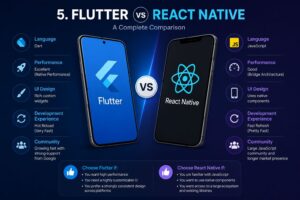
When discussing cross-platform app development, Flutter and React Native are two of the most popular frameworks. Both allow developers to build applications for Android and iOS using a single codebase, but they differ in performance, development approach, and user interface design.
Programming Language
Flutter uses the Dart programming language, while React Native is based on JavaScript. Developers who already have experience with JavaScript may find React Native easier to start with, while Flutter developers need to learn Dart first.
Performance
Flutter is generally known for better performance because it compiles directly into native machine code and uses its own rendering engine. This allows Flutter applications to provide smooth animations and fast user experiences.
React Native relies on a bridge to communicate with native components, which can sometimes affect performance in complex applications.
User Interface
Flutter provides a large collection of customizable widgets that help developers create consistent and modern user interfaces across different platforms. Since Flutter controls the UI rendering itself, applications usually look the same on Android and iOS.
React Native uses native UI components, which can provide a more platform-specific look and feel but may require additional customization for consistent designs.
Development Speed
Both frameworks support Hot Reload, allowing developers to instantly preview code changes. React Native may be easier for web developers because of its JavaScript ecosystem, while Flutter often provides a more structured development experience.
Community and Ecosystem
React Native has been available for a longer time and has a large JavaScript community. However, Flutter’s community has grown rapidly in recent years with strong support from Google.
Which One Should You Choose?
The choice between Flutter and React Native depends on project requirements and developer preferences. Flutter is often preferred for high-performance applications with custom UI designs, while React Native can be a good option for developers already familiar with JavaScript and React.
6. What Can You Build with Flutter?
Flutter is a flexible framework that can be used to build many different types of applications. Because Flutter supports multiple platforms from a single codebase, developers and businesses can create modern applications faster and more efficiently.
Mobile Applications
Flutter is mainly known for mobile app development. Developers can create high-performance applications for both Android and iOS without writing separate code for each platform. Many startups and companies use Flutter to build modern mobile apps with beautiful user interfaces and smooth performance.
Web Applications
Flutter also supports web development, allowing developers to create responsive and interactive web applications. Businesses can use Flutter to build dashboards, admin panels, and web-based platforms with a consistent design across devices.
Desktop Applications
With Flutter, developers can build desktop applications for Windows, macOS, and Linux. This makes Flutter a good option for businesses that want to create software for both desktop and mobile users using the same technology.
MVP and Startup Projects
Flutter is a popular choice for startups because it helps reduce development time and costs. Many businesses use Flutter to build Minimum Viable Products (MVPs) quickly and test their ideas in the market before investing in larger development teams.
E-commerce Applications
Flutter can be used to develop modern e-commerce applications with smooth navigation, attractive product pages, and fast performance. Its customizable UI makes it easier to create unique shopping experiences for users.
Social Media and Chat Applications
Because of its fast performance and real-time UI capabilities, Flutter is suitable for chat apps, social media platforms, and communication tools. Developers can create responsive interfaces and smooth animations for better user experiences.
Enterprise Applications
Many companies use Flutter to build internal business tools, management systems, and enterprise applications. Flutter’s scalability and cross-platform support make it useful for large business projects.
IoT and Smart Device Interfaces
Flutter can also be used to create interfaces for smart devices and IoT applications. Its flexible UI system allows developers to design modern control panels and dashboards for connected devices.
7. Popular Apps Built with Flutter
Many well-known companies and businesses use Flutter to build fast, modern, and scalable applications. Flutter’s cross-platform capabilities, attractive UI system, and high performance have made it a popular choice for startups and large companies around the world.
Google Ads
Google uses Flutter for its Google Ads mobile application. The app allows users to manage advertising campaigns, monitor performance, and access analytics directly from their smartphones. Flutter helps provide a smooth and responsive user experience.
Alibaba
Alibaba, one of the world’s largest e-commerce companies, uses Flutter in parts of its application. Flutter helps Alibaba deliver fast performance and a modern shopping experience for millions of users.
eBay Motors
eBay Motors uses Flutter to build a modern mobile experience for buying and selling vehicles. Flutter’s flexible UI system helps create smooth navigation and attractive user interfaces.
Google Pay
Google Pay has also used Flutter in some regions to create fast and reliable digital payment experiences. Flutter allows developers to build responsive financial applications with modern UI designs.
BMW
BMW uses Flutter for parts of its mobile application ecosystem. Flutter helps the company maintain consistent designs and user experiences across different platforms.
Why Companies Choose Flutter
Many companies choose Flutter because it reduces development costs and speeds up product delivery. Instead of maintaining separate Android and iOS applications, businesses can manage a single codebase while still delivering high-quality user experiences.
Flutter also makes it easier to create custom animations, responsive interfaces, and visually appealing applications, which is important for modern digital products.
8. Is Flutter Good for Beginners?
Flutter is considered one of the best frameworks for beginners who want to start mobile app development. Its simple structure, modern tools, and large learning community make it easier for new developers to build applications without needing deep experience in native development.
One of the biggest advantages of Flutter for beginners is its clear and organized development approach. Flutter uses widgets to build user interfaces, and once developers understand how widgets work, creating applications becomes much easier and more flexible.
Flutter also provides excellent documentation and learning resources. Since Flutter is supported by Google, developers can access official tutorials, videos, and guides that help beginners learn step by step.
Another beginner-friendly feature is Hot Reload. This feature allows developers to instantly see code changes without restarting the application. It helps beginners experiment, learn faster, and fix mistakes more easily during development.
Flutter applications are built using the Dart language, which is relatively easy to learn compared to many other programming languages. Developers who already know JavaScript, Java, or C# often adapt to Dart quickly.
Although beginners may initially find widget-based development slightly different from traditional programming, most developers become comfortable with Flutter after building a few small projects.
Overall, Flutter is a great choice for beginners because it combines fast development, modern design capabilities, strong community support, and cross-platform app development in a single framework.
9. How to Start Learning Flutter
Getting started with Flutter is easier than many beginners expect. With the right tools, learning resources, and practice, developers can start building their first applications in a relatively short time.
Install Flutter SDK
The first step is downloading and installing the Flutter SDK from the official Flutter website. The SDK contains all the tools needed to develop and run Flutter applications on different platforms.
Install an IDE
To write and manage Flutter code efficiently, developers usually use IDEs such as Android Studio or Visual Studio Code. These tools provide useful features like code suggestions, debugging, and Flutter extensions that simplify development.
Learn the Dart Language
Flutter applications are built using the Dart language. Beginners should first learn the basics of Dart, including variables, functions, classes, loops, and object-oriented programming concepts.
Understand Widgets
Widgets are the foundation of Flutter development. Learning how widgets work is essential for building user interfaces. Beginners should start with basic widgets like Text, Container, Row, Column, and Button before moving to more advanced UI structures.
Build Small Projects
The best way to learn Flutter is through practice. Beginners can start with simple projects such as:
. To-do list apps
. Calculator apps
. Weather apps
. Notes applications
Building projects helps developers understand layouts, state management, navigation, and user interaction more effectively.
Use Official Documentation and Tutorials
Flutter has excellent official documentation and a large online learning community. Developers can learn from tutorials, YouTube videos, GitHub projects, and online courses to improve their skills step by step.
Practice Consistently
Like any programming skill, learning Flutter requires regular practice. Developers who build projects consistently usually improve much faster and gain real-world development experience.
Conclusion
Flutter has become one of the leading frameworks for modern application development. Its ability to build mobile, web, and desktop applications using a single codebase makes it an efficient and cost-effective solution for developers and businesses.
With features like Hot Reload, customizable widgets, high performance, and cross-platform support, Flutter provides everything needed to create fast and visually appealing applications. Its growing community and strong support from Google have also helped Flutter become a trusted choice for startups, enterprises, and independent developers.
Whether you are a beginner starting your app development journey or an experienced developer looking for a modern framework, Flutter offers a powerful and flexible environment for building high-quality applications.
As technology continues to evolve, Flutter is expected to play an even bigger role in the future of cross-platform development. Learning Flutter today can open many opportunities in mobile and software development industries.
Leave a Reply